Smart scan
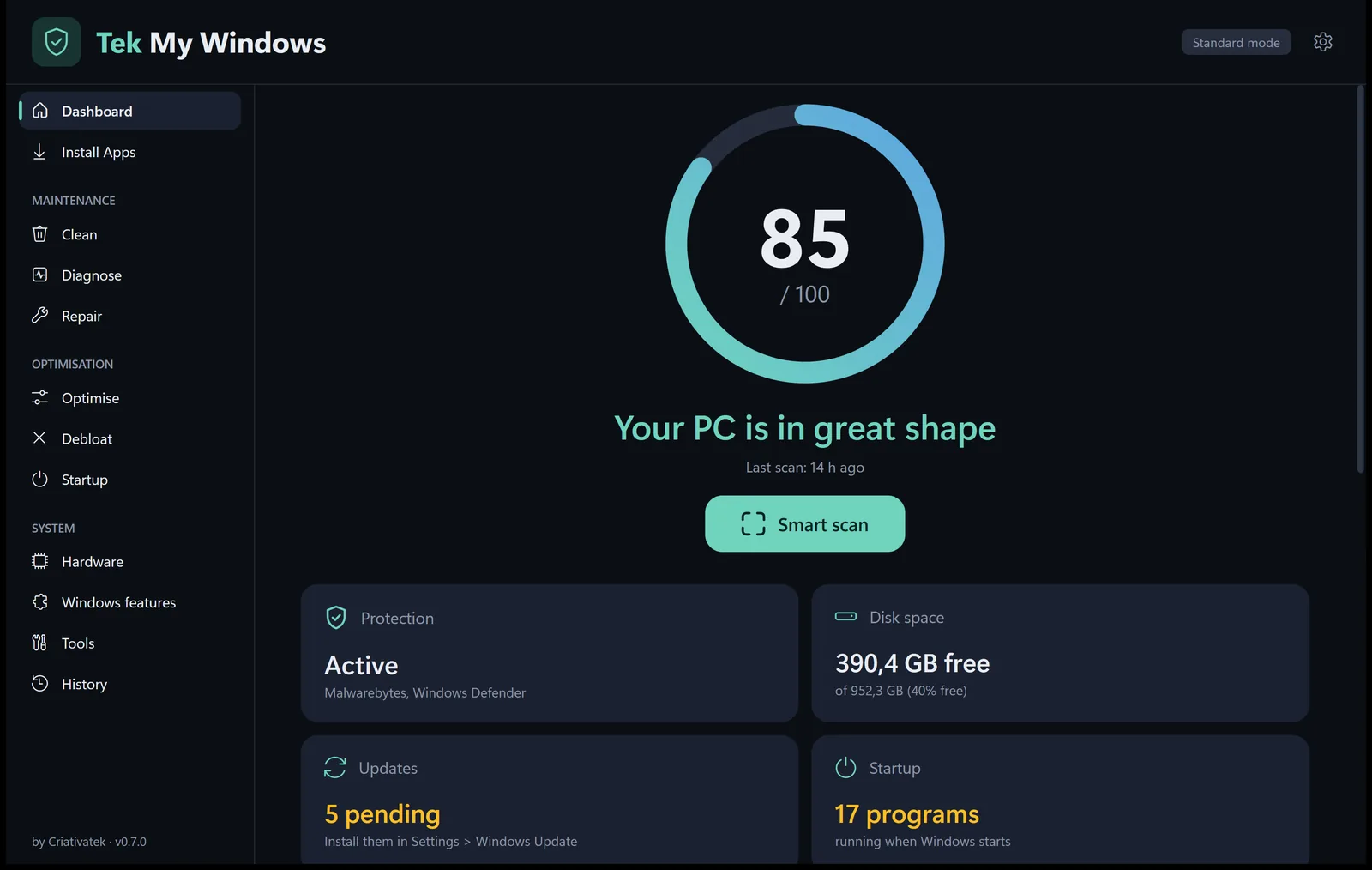
A score from 0 to 100 with the formula in plain sight and a list of what can improve, each item with the button that fixes it.

Free · Windows 10 and 11 · no install
Tek My Windows scans your computer, gives it a score from 0 to 100 and fixes what it finds: it cleans, repairs, installs your apps and removes what Windows added that you never asked for. Everything can be undone.
How it works
A single file. It installs nothing in Windows and also runs from a USB stick.
In seconds you see the PC's score: protection, disk space, updates, startup programs and privacy. It only reads, it changes nothing.
One click applies the safe fixes, with confirmation and a restore point. Anything that needs your decision gets its own button.
Features
Made by Criativatek from what it does every day maintaining computers.
A score from 0 to 100 with the formula in plain sight and a list of what can improve, each item with the button that fixes it.
Browsers, office, media, utilities and runtimes, installed with winget. And «Update all» in one go.
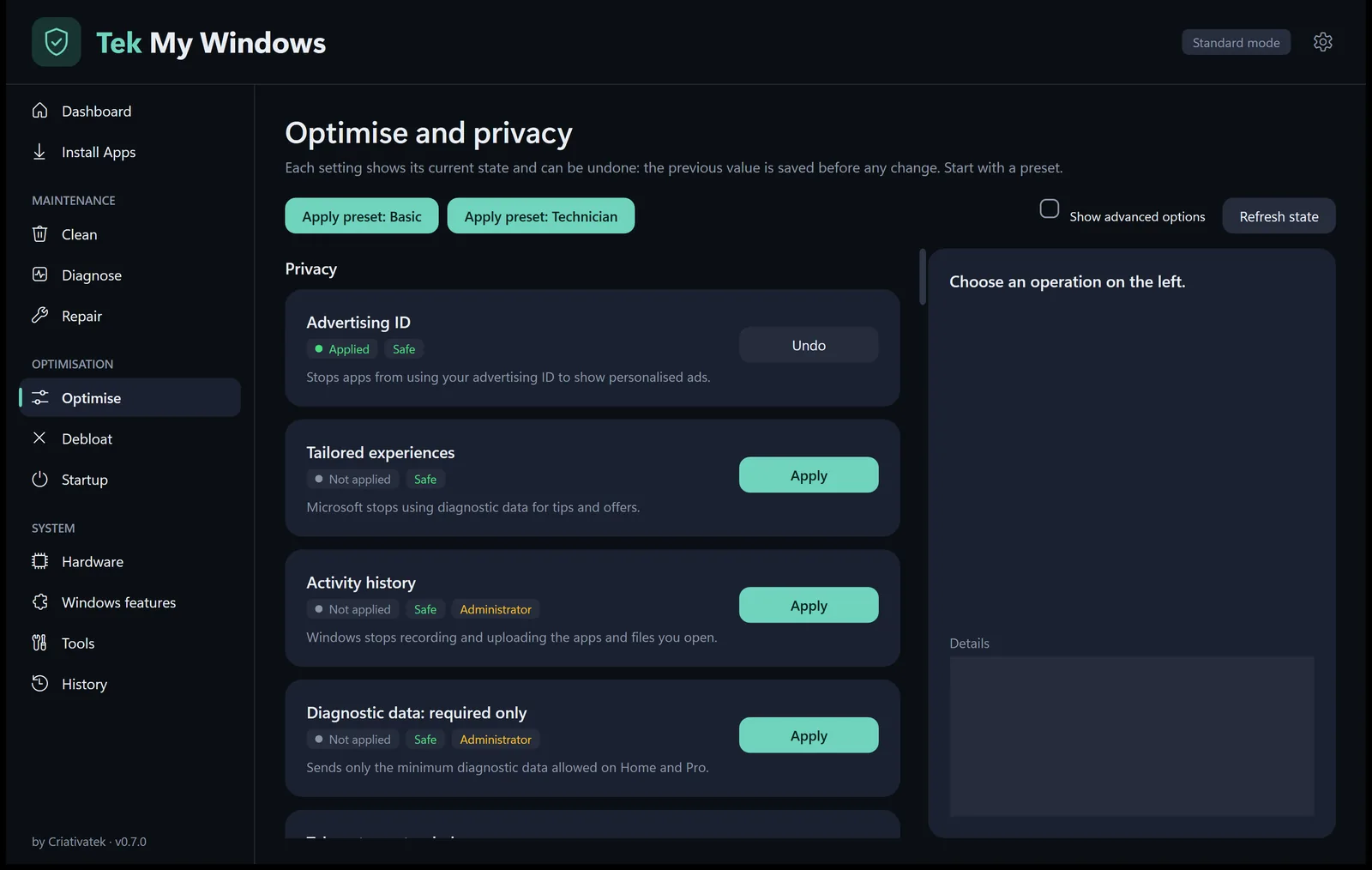
44 privacy, ads and system tweaks, each showing its current state. The previous value is saved and restored when you revert.
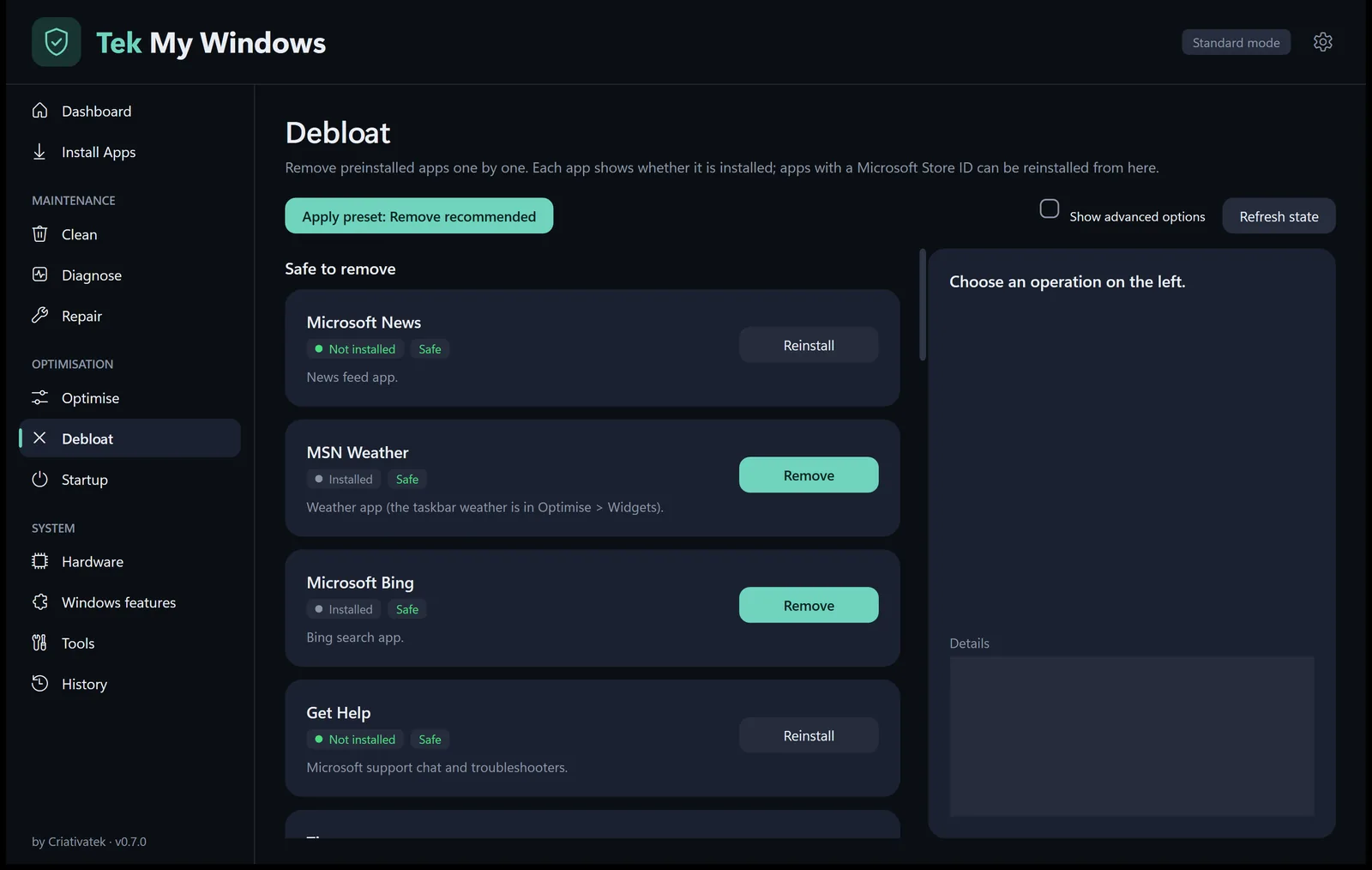
Removes the preinstalled apps you don't use. Useful ones are never on the list, and those in the Microsoft Store can be reinstalled from here.
Programs, Store apps and scheduled tasks that start with Windows. Disabling deletes nothing.
Processor, graphics, memory, disks, BIOS and battery. Plus a maintenance report to hand to your client.
Optimise and privacy
Start from a preset — Basic or Technician — or pick tweak by tweak. Before anything changes, the previous value is saved.
Debloat
News, sponsored games, promotional apps and the rest. One by one, or all the recommended ones at once.
Tools
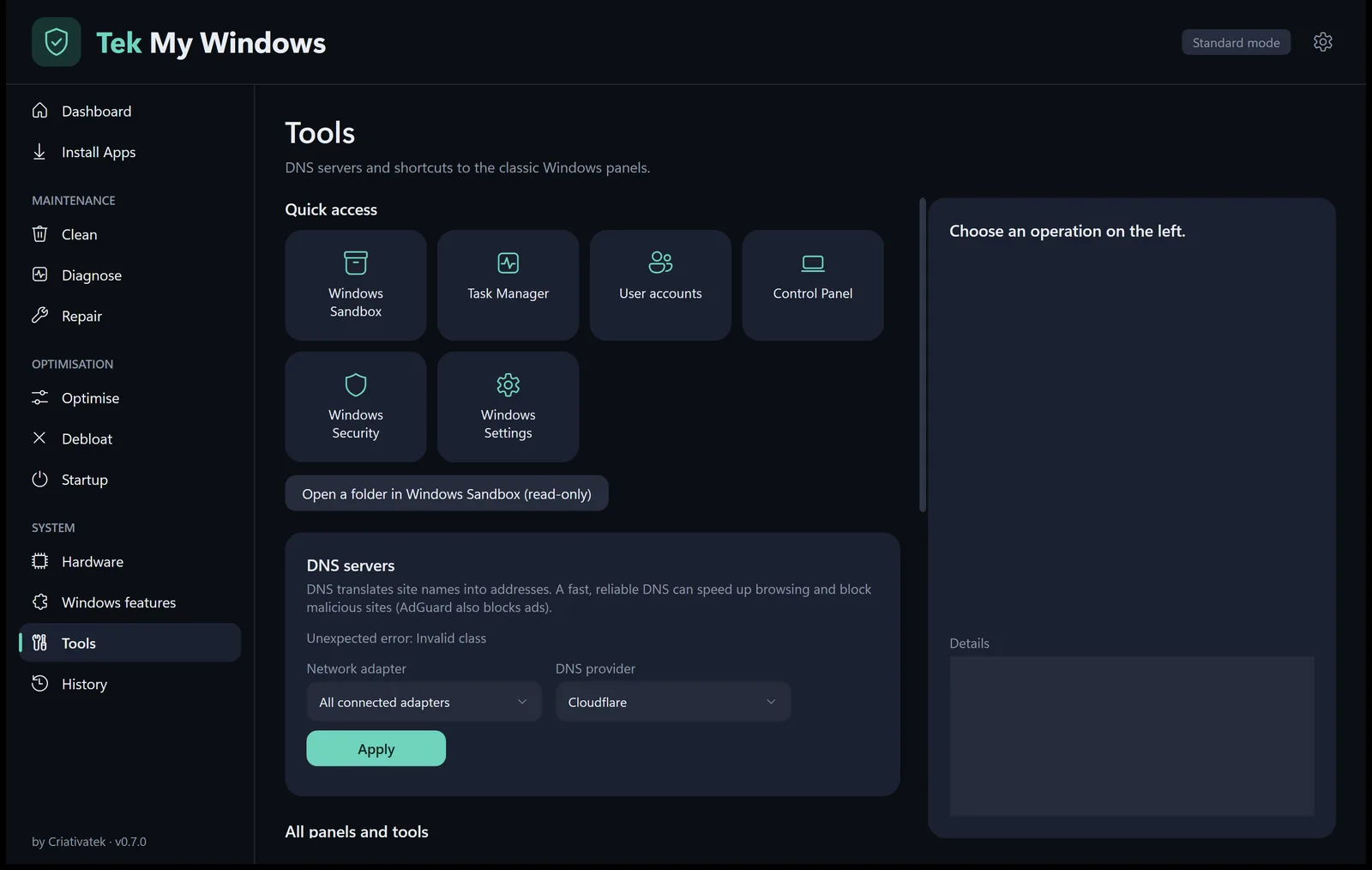
Windows Sandbox, Task Manager, user accounts, Control Panel and 30 more Windows panels, without hunting for them.
Safety
Optimisation tools have a bad reputation for good reasons. Tek My Windows follows rules that are not up for negotiation.
The scan only reads. Everything that changes the system asks first and suggests a restore point.
Before each tweak, the previous value is saved. Reverting puts back exactly what was there.
Defender, the firewall and Windows Update always stay on. Those tweaks don't even exist in the app.
It never downloads or runs third-party scripts. Apps are installed with winget, Microsoft's official installer.
No ads, no account and no data collection. History and reports stay on the computer.
When there is a new version, the app asks, downloads it over HTTPS and checks its SHA-256 checksum before replacing itself.
Frequently asked questions
Yes. No ads, no hidden paid version and no account.
No. It is a single file: open it and use it. It also runs from a USB stick. If you create a «data» folder next to the file, settings and history are kept there.
That warning shows up for new programs that don't have a digital signature yet. Click «More info» and then «Run anyway». You can confirm the file is the original by comparing the SHA-256 shown at the bottom of this page.
Yes, on Windows 10 and Windows 11, 64-bit. Some features, such as Windows Sandbox or Hyper-V, need the Pro edition.
Not to open it. When an action needs it, the app asks and reopens as administrator right where you were.
The app checks every time it opens. When there is a new version, it asks whether you want to update and does the rest by itself.
English and European Portuguese. The app follows the Windows language and you can change it in the settings.

Download, open and run the smart scan. In under a minute you know what to improve.
Version 0.8.1 · November 12, 2026 · SHA-256 e99fe2dc8566240de795d8487f5bf53608d34684db524d4cae812ac3b5bd77cb